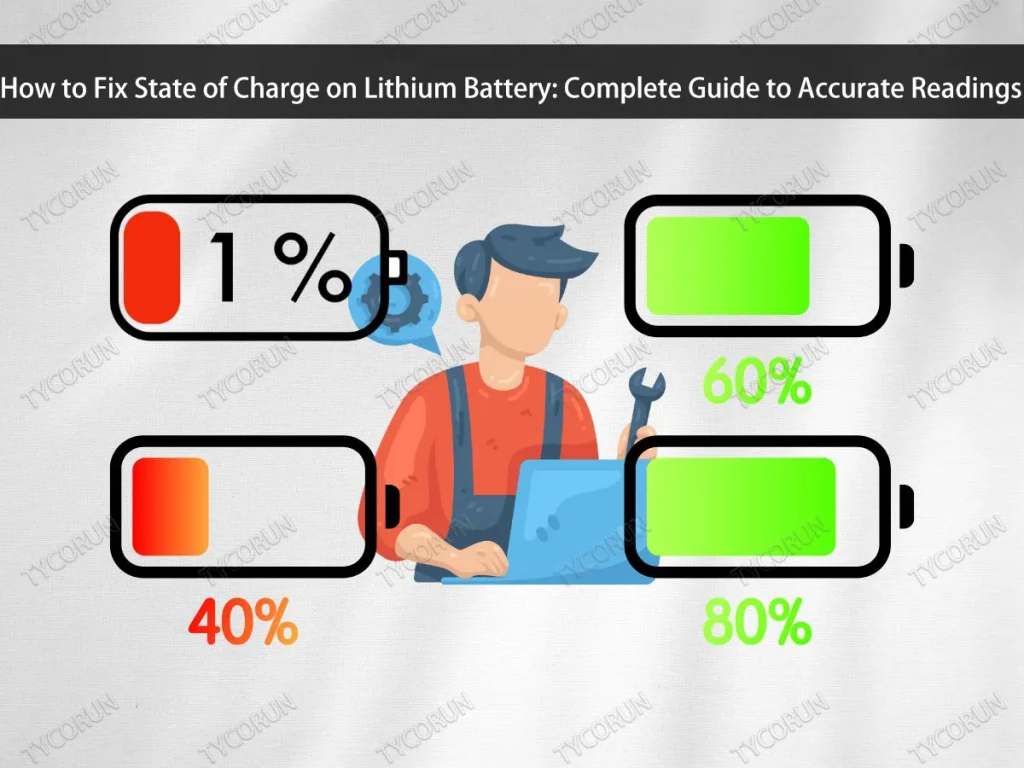
How to Fix State of Charge on Lithium Battery: Complete Guide to Accurate Readings
Lithium battery indicators can occasionally abruptly stop reflecting reality. The number for the state of charge may fluctuate, fall too rapidly, or even become stuck at a single level. Many people are wondering how to fix state of charge on lithium battery because of this issue. Fortunately, there exist multiple efficient methods to restore your lithium battery’s state of charge without having to replace it right away.
Correcting inaccurate SoC readings is crucial because precise indicators guarantee longer battery life and more effective battery use. Understanding how to fix state of charge on lithium battery will help you avoid overcharging, over-discharging, and other common mistakes with lithium batteries.
Additionally, knowing how to fix state of charge on lithium battery helps maintain optimal device performance. Accurate SoC is not just about the numbers on the screen, but also about how the battery operates stably every time it is used.

Understanding the State of Charge (SoC)
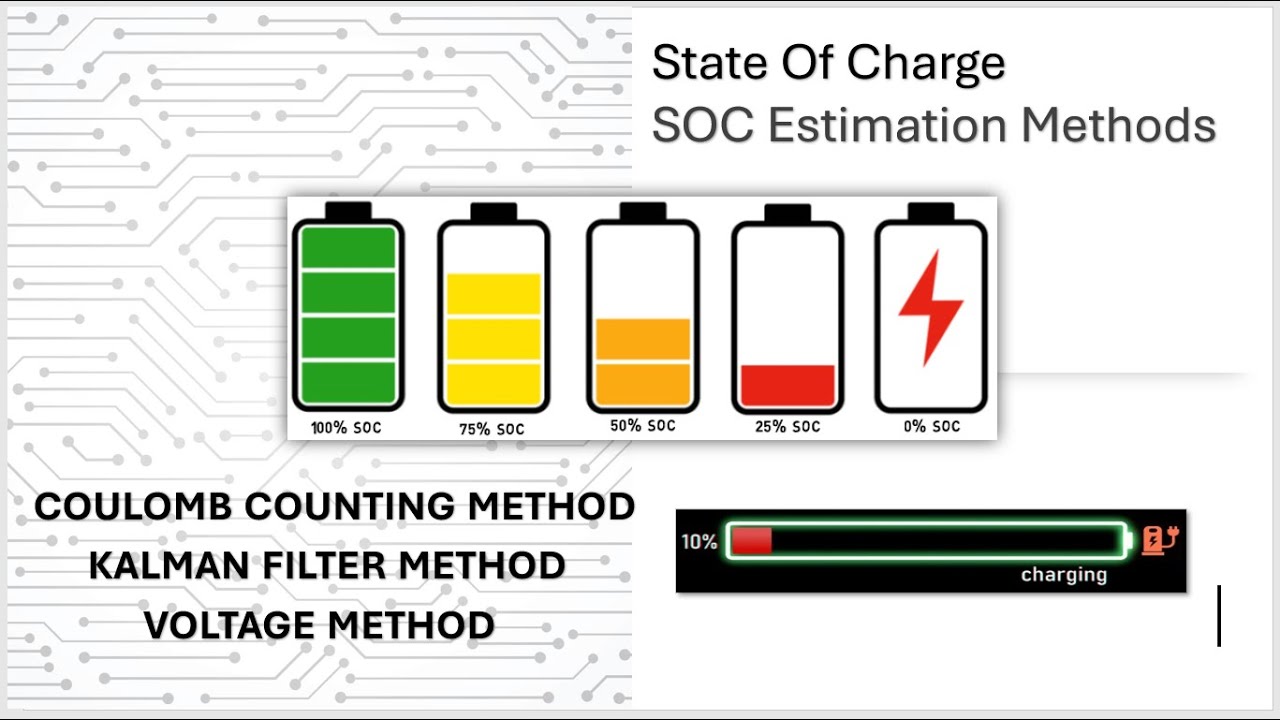
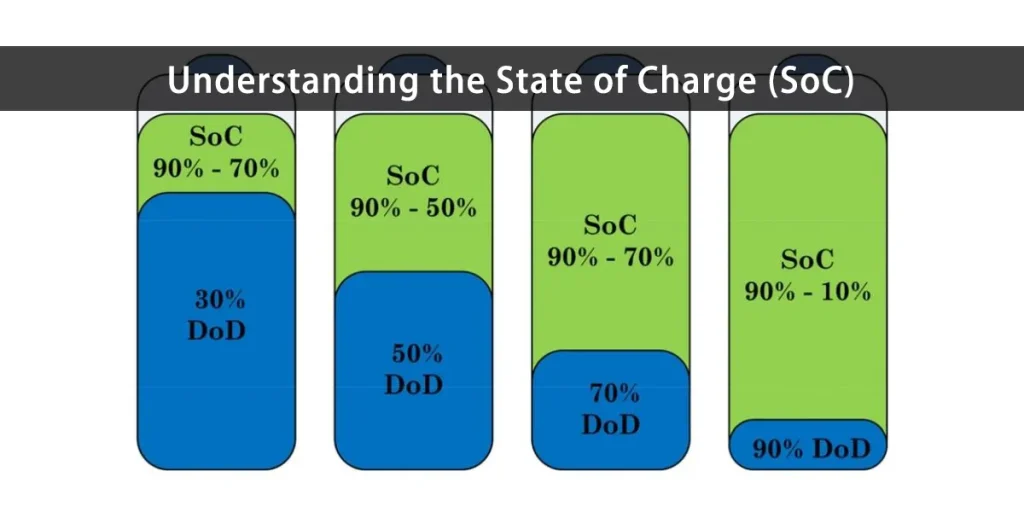
Before we get into how to fix state of charge on lithium battery, it is important to understand what state of charge is. The state of charge-or SoC for short-is an indicator of how much energy remains in a lithium battery. It is usually computed by the system using voltage, current, and usage duration. To put it another way, SoC acts as “digital fuel,” alerting you when the battery needs to be charged.
However, SoC readings may change over time. The indicator may display a high number when the battery is nearly dead, or the reverse. Because of this circumstance, users often believe that their battery is broken, but in reality, the calculation system is the cause of the error. Understanding how to fix state of charge on lithium battery is important because correcting this calculation can restore battery performance without the need for a replacement.
Furthermore, understanding how to fix state of charge on lithium battery allows you to identify the factors that influence its accuracy, such as ambient temperature, charging patterns, and battery age. Your lithium battery will be repaired much more safely and effectively if you have this fundamental knowledge.
Why State of Charge Becomes Inaccurate
Prior to learning how to fix state of charge on lithium battery, you must comprehend why SoC readings can be off. One of the most frequent reasons is voltage drift, a situation in which the battery voltage fluctuates over time but the system continues to compute capacity using outdated data. The SoC indicator consequently becomes erroneous, occasionally displaying 70% when it is actually nearly empty.
In addition, deep discharge is a common cause of problems. The internal system struggles to identify the battery’s lower limit when it is almost empty or completely depleted. This makes it difficult to adjust the SoC. However, using a charger that does not meet specifications or charging too frequently can also interfere with the data reading system. Consequently, fixing the state of charge on a lithium battery involves more than just adjusting the screen’s numbers; it also entails reestablishing the equilibrium of the system that determines the battery’s condition.
Age of the battery is another important factor. The older the lithium battery, the more difficult it is for the system to determine its original capacity. This is common, but if you know how to fix state of charge on lithium battery, you can still reduce it. Understanding the underlying cause of the issue will help repair procedures be more successful and prevent internal battery components from being harmed.
How to Fix State of Charge on Lithium Battery
If your lithium battery indicator begins to show unusual numbers-such as draining quickly, not charging, or becoming stuck at a specific number-you must understand how to fix state of charge on lithium battery using the proper steps. Here are what you can do:
- Recalibrate the Battery
Manual calibration is the simplest method for correcting the state of charge of lithium batteries. Use the device until the battery level drops to about 10% to 15% after charging it to 100%. Then, continuously recharge it to its maximum capacity. This procedure fixes inaccurate SoC readings and aids the system in determining the battery’s initial capacity. - Reset the Battery Management System
Some devices include a battery management system that can be reset to update capacity calculations. To accomplish this, unplug the device, give it a few minutes, and then plug it back in. The voltage and current data are reread by the system with the aid of this technique. However, not all devices allow for resetting without adverse effects, so proceed with caution. - Use a Charger That Meets Specifications
An incompatible charger can make SoC readings more erratic. Therefore, use the original charger or at least the one that the manufacturer suggests. Unstable or excessive current can cause problems for the battery’s internal voltage sensor. - Maintain Temperature During Charging
Extreme temperatures can cause the SoC system to incorrectly read the battery’s capacity. When using or charging the battery, keep it at around 20-25°C. A battery that is too hot or too cold may produce readings that are wildly off. - Pay Attention to Battery Usage Patterns
The ideal capacity range for lithium batteries is 20% to 80%. To prevent harm to the internal chemical balance, do not allow them to run entirely empty or remain fully charged at all times. - Use Monitoring Software (optional)
Some laptops and devices have built-in features to track charging cycles, voltage, and temperature. You can use this information to determine when recalibration is appropriate. It is also a good idea to use software like this since it allows you to identify the root cause of inaccurate SoC readings early on. - Replace the Battery If Necessary
If all of the steps listed above have been followed but the indicator remains problematic, it is possible that the battery cells have weakened. Replacing the battery with a new, high-quality one is the only practical solution in this case. Old batteries that have decreased in capacity frequently can no longer be accurately repaired by the system.
You can also read LIFePO4 SOC chart for more insight
Preventing Future State of Charge Issues
After learning how to fix state of charge on lithium battery, the next and equally important step is to prevent the same problem from occurring. Usually, inaccurate SoC results from bad charging or usage practices. Here are some steps that you can take:
- Avoid overcharging and discharging
These are the two most common reasons for SoC reading errors. Overcharging causes continuous pressure on the battery cells due to excessively high voltage, whereas overdischarging can cause the system to lose its lower capacity reference point. Make it a habit to unplug the charger when the battery is full and recharge before it is completely depleted. - Keep the environment temperature stable
Extreme temperatures can hasten battery degradation and disrupt SoC readings. Batteries should ideally be used and stored between 20 and 25°C. If your device is frequently used outside, allow it to cool down before charging. This simple method has been shown to increase battery life and maintain SoC accuracy over time. - Conduct regular calibration
Calibration does not have to be done on a regular basis, but every few months is sufficient to help the system recognize the actual battery capacity. This process also ensures that the SoC indicator remains in sync with battery performance. - Use battery monitoring software
Some devices include monitoring features that display critical data such as temperature, voltage, current, and number of charging cycles. This feature allows you to easily monitor when it is time for calibration or recharging. - Avoid heavy use while charging
Many people are used to using their devices while they charge, despite the fact that this can raise the temperature and hasten the deterioration of cell performance. When the temperature rises, the system may miscalculate the actual battery capacity. So, try to rest your device while it charges. - Store the battery properly when not in use
If you plan on not using the device for an extended period of time, charge the battery to about 50-60% before storing it. This half capacity preserves the chemical balance within the battery and prevents the SoC reading from becoming an error when used again.
When to Replace the Battery?
Sometimes the problem with SoC stems from the physical condition of the battery, which has deteriorated. The lifespan of lithium batteries is limited, and the cells’ capacity to retain a charge will decrease over time. After calibration, resetting, and cautious use, if the SoC indicator is still inaccurate, it is probably time to think about getting a new battery. Here are some signs that indicate when to replace the battery:

- The battery cannot be repaired: one of the most obvious symptoms is a significant decrease in capacity. For example, the battery appears to drain quickly despite having been fully charged. Other symptoms, like battery swelling, the device heating up quickly, or charging taking longer than usual, can occasionally show up.
- SoC remains in error even after calibration and reset: when the system is unable to correctly read the capacity even after completing all steps, it indicates that the data in the battery management system is no longer synchronized with the battery’s physical condition. In this case, fixing the SoC reading is ineffective.
- The battery can no longer reach full capacity: if you charge your device to 100% and it drops to 80% or even 60% in minutes, the cells inside the battery have most likely weakened. This causes the SoC system to read the capacity with a significant error. Once more, changing the state of charge does not always resolve the issue. It can occasionally be safer and more effective to replace the battery with a new one over time.
- The battery generates excessive heat when in use: heat indicates that the battery is working too hard or that there is a high resistance within it. When this occurs, the temperature causes the voltage data to fluctuate, which usually prevents the SoC system from accurately reading the actual condition.
You may also can read ev battery replacement for more insight
Conclusion
It can be concluded that inaccurate state of charge (SoC) in lithium batteries is a common issue, but it is still fixable with the proper approach. Many people believe that their battery is broken, but in many cases, an unsynchronized voltage and current data reading system is the primary cause. Understanding how to fix state of charge on lithium battery allows you to restore the indicator’s accuracy, extend battery life, and maintain consistent device performance.
Fixing SoC is more than just normalizing the numbers on the screen; it is also about understanding how the battery system works and how your charging habits affect its health. To keep the SoC reading accurate, it is crucial to use the right charger, maintain the proper temperature, and perform routine calibration.
However, there are times when the battery reaches the end of its useful life. The safest course of action might be to replace the battery if the SoC indicator still has issues after calibration and reset. After all, understanding how to fix state of charge on lithium battery is not only about correcting the issue; it is also about avoiding future occurrences of the same issues and making sure the battery keeps performing at its best over time.
FAQS
Why is my lithium battery showing the wrong charge level?
An inaccurate charge level is often caused by voltage drift, temperature fluctuations, or the use of non-compatible chargers. These factors can interfere with the battery’s internal monitoring system, causing the State of Charge (SoC) reading to display incorrect information.
How often should I calibrate my lithium battery?
It is recommended to calibrate a lithium battery every two to three months. Regular calibration helps ensure that the SoC reading remains accurate and consistent with the battery’s actual performance, especially if irregularities such as sudden drops or stuck percentages occur.
Can I fix inaccurate SoC without replacing the battery?
Yes, in most cases inaccurate SoC readings can be corrected without replacing the battery. Performing a manual calibration, resetting the battery management system, and maintaining proper charging and temperature conditions can effectively restore accuracy. However, if the issue persists, it may indicate that the battery cells have deteriorated and require replacement.