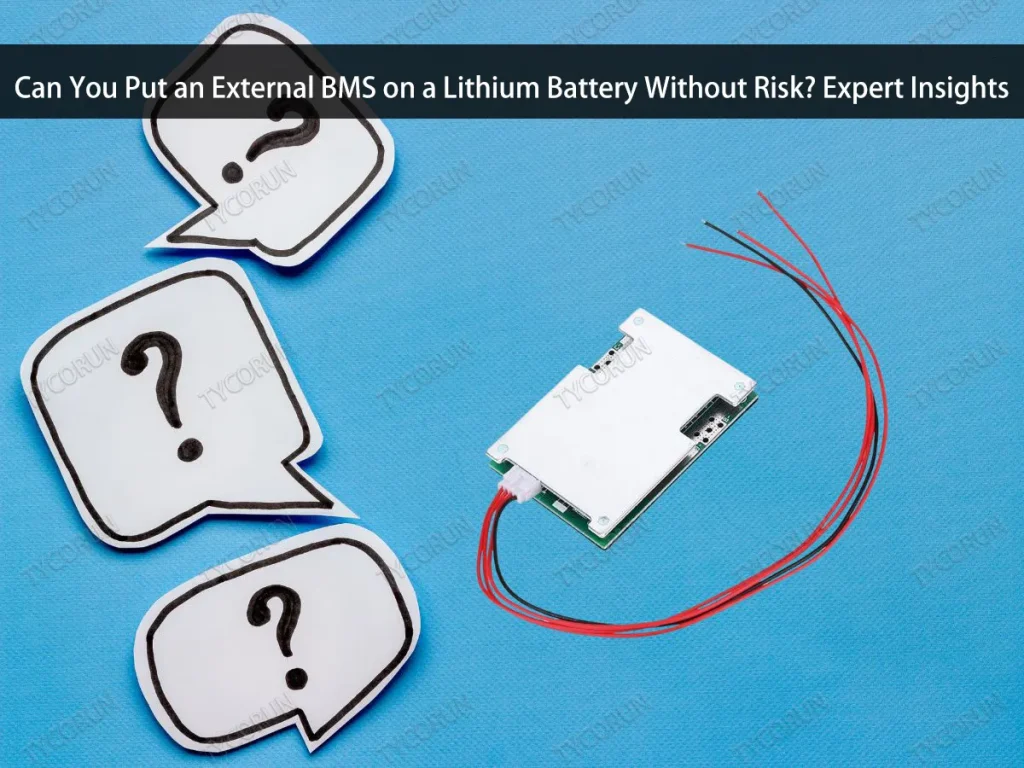
Can You Put an External BMS on a Lithium Battery Without Risk? Expert Insights
Lithium batteries are renowned for their long lifespan, high efficiency, and small size of energy storage. However, a Battery Management System (BMS) is a specialized management system that is necessary for these batteries to maintain their safety and performance. Each battery cell’s voltage, current, and temperature are tracked by the BMS to maintain stability and guard against damage.
But not all lithium batteries have a sufficient internal BMS. Additionally, there are instances in which the integrated BMS system is broken or incapable of offering users the necessary security. Can you put an external BMS on a lithium battery, then?
This question arises because an increasing number of users want to improve the safety and longevity of their batteries without replacing the entire system. This is technically feasible, but it is obviously necessary to take into account how well the battery and the external BMS work together.


How a BMS Works?
Before answering the question, it is necessary to understand how the BMS system functions. An essential part that regulates and safeguards every cell in a lithium battery to ensure that it keeps operating within safe bounds is the Battery Management System (BMS).
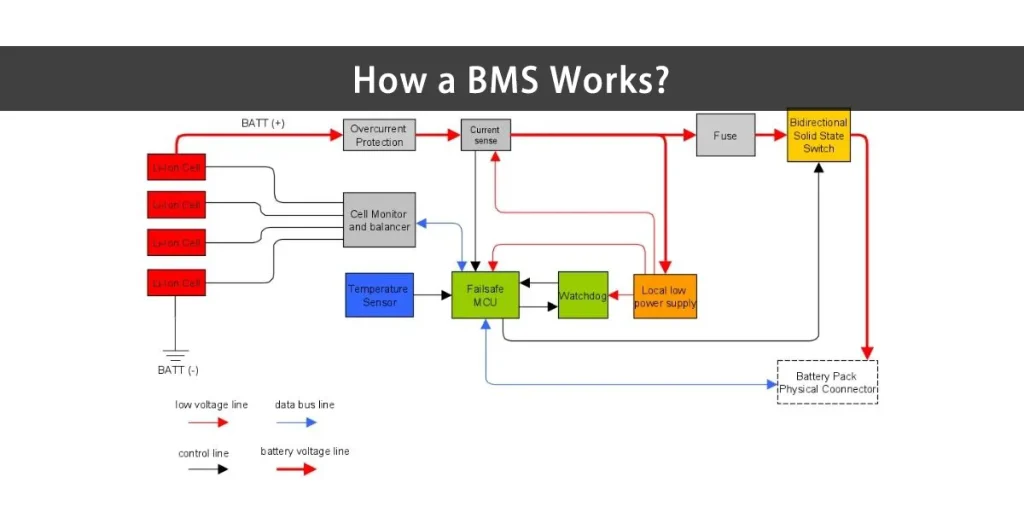
The BMS monitors critical parameters such as voltage, current, temperature, and battery charge level. The BMS will cut the current when one of the cells displays abnormal values in order to avoid overcharging, overdischarging, or overheating, all of which can result in significant damage. For this reason, preserving battery longevity and safety depends heavily on the BMS.
This knowledge is essential because it enables us to assess whether an external system can effectively replace or enhance the integrated BMS. Essentially, both internal and external BMS work on the same principle: maintain cell balance and ensure battery efficiency.
You can also read function of battery management for more insight
Types of Battery Management Systems
To learn more about BMS on a lithium battery, first understand that there are two types: internal and external. Both serve the same purpose, which is to keep the battery safe, stable, and efficient, but there are significant differences in design and flexibility.
- Internal BMS
Typically, this type is installed directly in the battery at the factory. The system operates automatically and does not require the user to reset it because the manufacturer determines all protection and current settings. This type is commonly used in laptop computers, e-bikes, and other portable electronic devices. The disadvantage is that if the internal system fails or does not meet your power requirements, it is difficult to replace without replacing the entire battery. - External BMS
Meanwhile, an external BMS is installed outside the battery and can be configured based on system needs. This type is more adaptable since it enables users to modify the protection features, voltage, and current based on their project, be it an assembled battery, customized e-bike, or energy storage system.
So, can you put an external BMS on a lithium battery? The answer is dependent on the state of the battery and your personal needs. Keep it if the internal system is still secure. However, an external BMS can be a very beneficial upgrade if it is no longer accurate or has no protection.
Can You Put an External BMS on a Lithium Battery?
This is the most commonly asked question. It is possible, but it cannot be installed at random. The installation of an external BMS must be adjusted to the type, capacity, and configuration of the battery you are using.
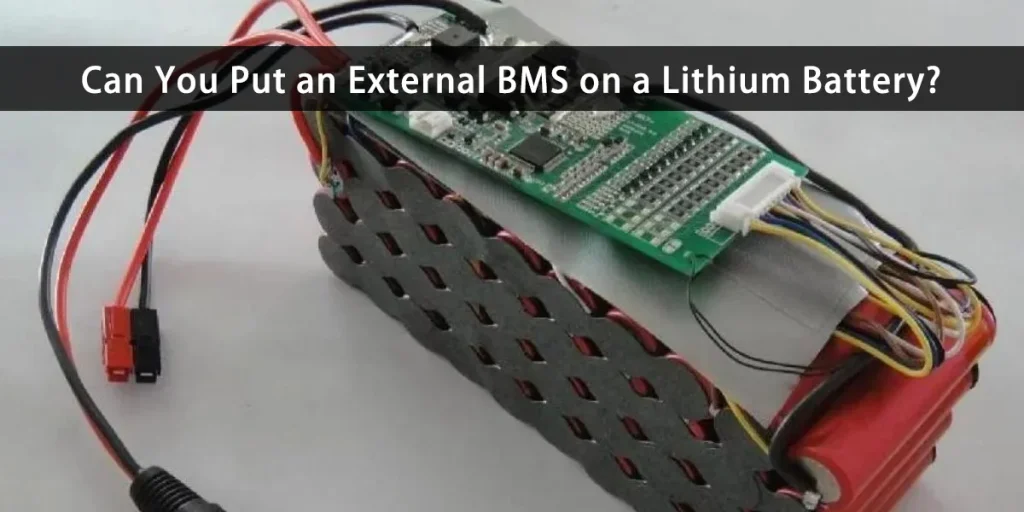
In general, an external BMS can be installed if your battery lacks a built-in protection system or if the internal BMS is damaged. For example, in DIY projects, solar power storage systems, or assembled e-bikes, external BMS are frequently preferred because they are more adaptable and can be customized as needed.
However, before rushing to install one, it is critical to understand the implications of external BMS on a lithium battery. Not all batteries are appropriate because each cell has a different voltage and current limit. If you select the incorrect rating or connect the balance cable incorrectly, the consequences can be fatal, including performance drops, rapid cell damage, and short circuits.
Can you put an external BMS on a lithium battery, then? Yes, provided that everything is done correctly and in accordance with the guidelines. Your system can become much safer and more effective by installing an external BMS.
You can also read lithium battery BMS for more insight
Compatibility Considerations Before Installing
It is crucial to confirm that all parts are compatible before actually installing an external BMS on a lithium battery. An external BMS cannot be installed directly on every system without modifications. The following are some things you should consider:
- Battery type (battery chemistry): every battery is different. For example, a LiFePO4 battery BMS might not be appropriate for Li-ion batteries. Therefore, confirm that the type of BMS is compatible with the type of battery before considering whether an external BMS can be installed on a lithium battery.
- Cell configuration (series and parallel): check how many cells are in series or parallel. The number of channels in the external BMS must match the number of cells in your system. The system might not be able to read accurate data if it does not match. Can you put an external BMS on a lithium battery with a different cell count, then? Of course you can, but first it needs to be modified.
- Maximum current (current rating): another crucial factor is the system load current. Despite the fact that a BMS with an excessively low current rating may overheat, many people overlook this point. Therefore, it can be extremely risky to install an external BMS on a lithium battery without knowing the maximum current.
- Total voltage (voltage range): check your battery’s total voltage. While electric vehicle systems may support higher voltages, some BMSs only support 12V to 48V. The system may not start or the BMS may sustain damage if you select the incorrect one.
- Connector and communication protocol compatibility: ensure that the BMS cables and connectors can be safely connected to the batteries. Certain systems also need extra communication, like Bluetooth, CAN, or UART.
How to Connect an External BMS to a Lithium Battery?
Can you put an external BMS on a lithium battery easily? Of course, you can, but the procedures need to be exact and thoughtful. The system may malfunction or even break as a result of a minor disconnect. So, before you begin, make sure you understand the steps. Here are the basic steps for connecting an external BMS to a lithium battery:
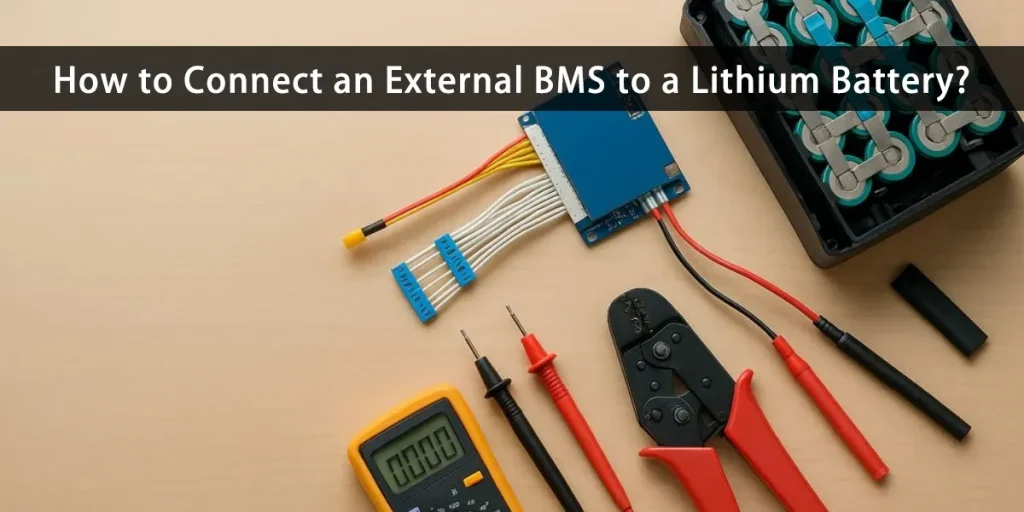
- Turn off all power before installation: this is strictly required. Ensure the battery and all devices are off before you start. This is to keep short circuits from happening while the installation is being done.
- Identify the positive and negative terminals: each battery cell has a positive and negative pole, which must be properly connected to the BMS circuit. Reversing it could harm the BMS. Therefore, always check again before installing.
- Connect the balance cable to each cell: when attempting to connect an external BMS to a lithium battery, many people become confused at this point. Each cell needs to have the balance cable from the BMS connected in order for the system to precisely monitor the voltage.
- Connect the Power Lines (B-, C-, P-): three lines typically make up the BMS’s main terminals: B-: to the battery’s negative terminal
C-: to the line for charging
P-: to the output line or load
This order is crucial. Reversing them could cause the system to short circuit or even fail to read data. - Check connections and perform initial tests: before turning on the system, ensure all the cables are connected correctly. Verify that there are no loose cables or polarity issues. Turn on the power and check to see if the BMS is correctly reading the data if everything is secure.
- Use the monitoring app if available: some modern external BMSs come equipped with CAN or Bluetooth interfaces. So, once you have determined whether you can install an external BMS on a lithium battery, you can immediately monitor its performance using the app, from temperature and current to cell voltage.
Benefits of Using an External BMS
After learning how to install it, you may be curious about the advantages. In addition to its flexibility, many lithium battery users decide to switch to external BMS because it is much more dependable in terms of both performance and safety than the factory default. Here are some of the main benefits you will get from using an external BMS:
- More accurate and detailed monitoring
a common question is whether an external BMS can be installed on a lithium battery. This is because external systems typically have more sophisticated sensors and comprehensive monitoring capabilities. An app or display allows you to view each cell’s real-time data, such as temperature, voltage, and current. - Maximum protection
External BMS has additional features against overcharge, overdischarge, short circuit and overheating. So, if you are still wondering, can you put an external BMS on a lithium battery? The answer is not only yes, but it actually makes your battery system safer. - Easy to upgrade and customize
The fact that external BMSs are easily upgraded or replaced is one of their main benefits. You can easily select a new BMS which suits your needs if you wish to alter the battery’s configuration or boost its capacity. - More modern data communication:
Many external BMS models now allow Bluetooth, CAN, or RS485 communication. This enables the system to be integrated with smart controllers, panels, or applications. - Easier maintenance:
Automatic notification features and data logging systems allow you to detect problematic battery cells early on. No more speculating. Maintenance is easier, safer, and takes less time with an external BMS.
Common Mistakes to Avoid
When installing an external BMS on a lithium battery, many people fail, despite the fact that it appears to be simple. The system’s complexity is not the issue; rather, it is a number of minor errors that can have catastrophic consequences for the battery. Therefore, it is a good idea to be aware of common mistakes that frequently occur before installing.
- Ignoring battery compatibility and BMS
The most typical error is this one. Even though not every BMS is compatible with every battery type, many users make their purchases without carefully reading the specifications. So, ensure the type and voltage are compatible to prevent damage to the system. - Incorrect cable installation sequence: installing the balance wire in the right order is essential. A single incorrect connection can result in the cell burning or the BMS shutting down entirely. So do not connect it at random, always follow the manufacturer’s diagram.
- Forgetting to turn off the power before installation: many people install without shutting off the power, which may seem insignificant. This could result in a short circuit and harm the system irreversibly. So, turn off everything before you begin.
- Ignoring cooling and ventilation: Some install BMS in small areas with little airflow. In fact, when charging or discharging at high rates, BMS modules can become extremely hot.
- Not testing after installation: it is essential to check the voltage and current in each cell after all the cables have been connected. Many people use it right away without first testing it, which can result in BMS errors or inaccurate readings.
Conclusion
So, can you put an external BMS on a lithium battery? Of course, you can and it is frequently recommended. An external BMS offers more flexibility, protection, and control than an integrated system, especially if the internal BMS is damaged, inaccurate, or fails to meet your power requirements.
However, successful installation is heavily reliant on a fundamental understanding of compatibility and proper installation procedures. Because each battery has its own characteristics, it is critical to ensure that the BMS type, cell configuration, and current and voltage ratings are all compatible. Small mistakes, such as incorrect wiring or selecting a BMS with incompatible specifications, can result in reduced performance or even fatal damage.
By following the proper guidelines, using an external BMS not only improves safety but also increases battery life and efficiency. For people who want a power system that is more reliable, long-lasting, and readily adjustable, this step might be the best course of action.
FAQS
Is it safe to install an external BMS by myself?
It is okay, as long as you fully understand the steps and sequence. Ensure you know the battery configuration, balance cable position, and current and voltage specifications. If in doubt, it is better to ask a technician for help to avoid the risk of short circuits or incorrect connections.
What happens if I use a BMS that does not match my battery?
An incompatible BMS can cause incorrect voltage readings, protection failure, or even rapid battery damage. Therefore, always choose a BMS with a rating and number of cells that match your battery.
How long does an external BMS usually last?
On average, an external BMS can last between 3 and 5 years, depending on the quality of the components and the conditions of use. Use in extreme temperatures or excessive currents can shorten its lifespan.